
- Vrealmatic
- Home Assistant
Home Assistant for Smart Home (& Office)
Home Assistant is an open-source platform for home and office automation. This page collects our Home Assistant guides - what it is, what hardware to run it on, how to add Zigbee, Thread and Matter devices, and how to access it securely, locally and from anywhere.

Home Assistant guides
- Access to Home Assistant - locally and remotely - browser and mobile app, public IP, Cloudflare Tunnel, Home Assistant Cloud, VPN and remote notifications.
- Remote access without paying for Home Assistant Cloud - a self-hosted access point for one or many homes.
About Home Assistant
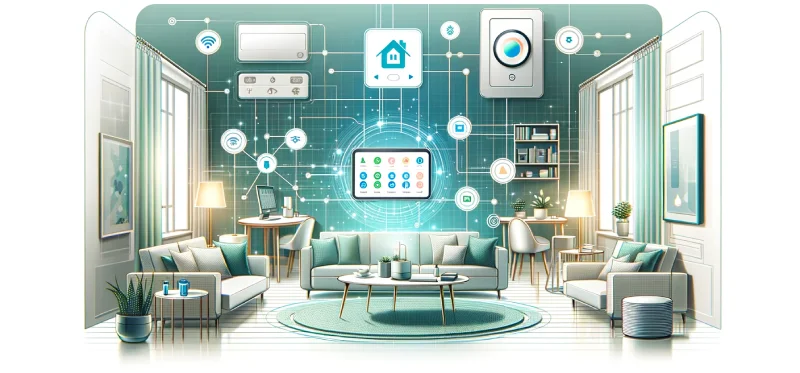
Home Assistant is an open-source home automation platform that lets you integrate and control a wide range of smart devices regardless of brand or protocol. It is built for people who want a highly customizable and flexible smart home - or smart office.
Key characteristics
- Compatibility: thousands of supported devices and services, including Philips Hue, Nest, Amazon Alexa, Google Assistant and many more.
- Open source: highly customizable; anyone can contribute code or build their own extensions and integrations.
- Local control: runs locally (on a Raspberry Pi, NAS or dedicated server), so it does not depend on cloud services and offers better privacy and security.
- Automations and scenes: complex automations spanning many devices and conditions.
- User interface: a customizable web dashboard for controlling and monitoring your devices.
- Voice assistants: integrates with Google Assistant and Amazon Alexa for voice control.
These benefits come with some trade-offs:
- Technical skills: setup and configuration may require more advanced technical knowledge.
- Time: reaching an optimal setup and integrating all devices can take a significant amount of time.
- Support: as an open-source project there is no customer support line, but a large community helps on the forum. Integrations and updates can occasionally break.
Hardware for Home Assistant OS
Home Assistant can run as a service on Linux, macOS or Windows, or as a dedicated operating system - Home Assistant OS. All installation methods are described at home-assistant.io/installation. Since Home Assistant should run 24/7, a dedicated low-power computer is the ideal choice.
- Home Assistant Green (approx. €179, prices are rising in 2026 due to memory costs) - plug & play device, the best fit for a typical home. Add the Connect ZBT-2 USB adapter for Zigbee / Thread. The former Home Assistant Yellow (with built-in Zigbee / Thread) was discontinued on 15 October 2025; existing units still receive updates.
- ASUS NUC and alternatives - no limits on performance or data history thanks to fast RAM and large NVMe SSDs.
- Raspberry Pi - a low-cost option. For new installs use a Raspberry Pi 5 (4 or 8 GB RAM), ideally with an NVMe SSD on an M.2 HAT instead of a microSD card for much better reliability and speed. A Raspberry Pi 4 Model B (4 GB) is still supported. Use the official power supply (27 W USB-C for the Pi 5) and a case with cooling. Installation steps: Home Assistant on Raspberry Pi.
After the first boot, Home Assistant OS is available on your local network at http://homeassistant.local:8123/ - no monitor or keyboard needed.
Protocol integration
Most computers (apart from the discontinued Home Assistant Yellow) natively support only Wi-Fi and Bluetooth. Matter devices over Wi-Fi / Ethernet are supported directly; Matter over Thread needs a Thread adapter. Zigbee and Thread are added with a USB adapter. Adapters usually support both Zigbee and Thread, but only one protocol at a time - if you need both, use two adapters.
- Home Assistant Connect ZBT-2 (since November 2025, approx. €45) - successor of the Connect ZBT-1 with a more powerful chip and better range. Zigbee and Thread.
- Home Assistant Connect ZBT-1 (formerly SkyConnect, 2022, discontinued) - Zigbee and Thread.
- Aqara Hub M100 (HM-G02D) - Zigbee and Thread.
Anything unclear?
Let us know!